 EraseAILabel
Home / AI image metadata
What Metadata Do AI Image Tools Add?
AI tools record their involvement in different ways. Here's what each kind of record looks like, and how far it can be trusted.
Published by Harsh Raj · Last reviewed November 2026
Three kinds of signal
- Content Credentials (C2PA): a signed record of how an image was made.
- IPTC Digital Source Type: a standard field. The value
trainedAlgorithmicMediamarks content created by a generative model. - Text settings: prompts and generation details saved as plain text.
A fourth kind, the invisible pixel watermark, sits in the image itself rather than in the metadata.
Tool by tool
Companies change this often, so treat it as a starting point and check your own file.
| Tool | What has been reported |
|---|---|
| ChatGPT and OpenAI images | OpenAI says supported images include C2PA metadata and SynthID. |
| Midjourney | IPTC reported that it would use Digital Source Type. Recent sources disagree on the exact fields it writes. |
| Stable Diffusion | Popular interfaces often save prompts and settings in PNG text, such as a parameters field. ComfyUI can store its workflow. Local tools vary with your setup. |
| Adobe Firefly | Uses Content Credentials. |
| Google tools | Google uses SynthID watermarks on content from its AI models. |
| Microsoft | IPTC reported its use of both IPTC and C2PA signals. |
Why a prompt in a file can be a privacy issue
Saved prompts can show what you asked for, including names, private ideas, or client work. Workflow data can reveal your methods. If you're sharing an AI-assisted image and want to keep your prompt private, that's a fair concern, and disclosing that the image is AI-generated doesn't require publishing the prompt.
A missing record proves nothing
Many AI images have no such record, and most ordinary tools drop metadata when they re-save a file. A clean scan doesn't show that an image is real. Records can also be added or edited unless they're cryptographically signed.
How to check an image
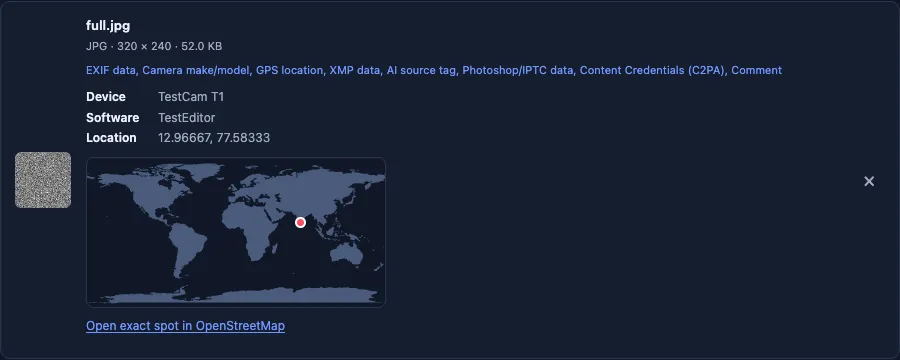
Use the Metadata checker to see which blocks a file holds. To validate a signature, use Content Credentials Verify. Neither is an AI detector.
Be open about AI images. These records exist so people can understand what they're looking at. Follow the disclosure rules wherever you publish, and never present an AI image as a real photo to mislead anyone.
Check a specific tool
- ChatGPT images: C2PA metadata and SynthID, according to OpenAI.
- Gemini images: SynthID, and Content Credentials on newer models.
- Midjourney images: prompt, job ID, and an AI source tag, according to reports.
- Stable Diffusion and ComfyUI: prompts and workflows in PNG text.
- Adobe Firefly and Meta AI: Content Credentials, IPTC data, and watermarks.
What to keep, and what you might remove
| Record | Our suggestion |
|---|---|
| Content Credentials | Keep them on AI images, and always where the tool's terms require it |
| AI source tag | Keep it on AI images. It tells platforms what they're looking at |
| Prompt and settings | Fine to remove for privacy, as long as you still disclose AI use |
| GPS and device details | Remove before sharing publicly |

A tech enthusiast who builds and tests EraseAILabel's tools. How we test
Common questions
Can metadata prove an image is AI-generated?
A signed record can show what a tool declared, but it is not absolute proof, and a missing record proves nothing either way.
Do all AI images contain metadata?
No. It depends on the tool and on what has happened to the file since it was created. Many images lose metadata when they are re-saved.
Is EraseAILabel an AI detector?
No. It only reads and removes supported metadata. It cannot tell you whether an image was made by AI.
Which AI image tools add Content Credentials?
Adobe Firefly, OpenAI image tools, and newer Google image models are among those that do. Check your own file to see what it holds.
Is it fine to remove my prompt from an AI image?
Yes, a prompt can be private. Keep disclosing that the image is AI-generated, and keep Content Credentials where the tool's terms require it.
Check an image
See which records a file holds, on your own device.